Skip to content

How to Choose a Home Energy Management System?

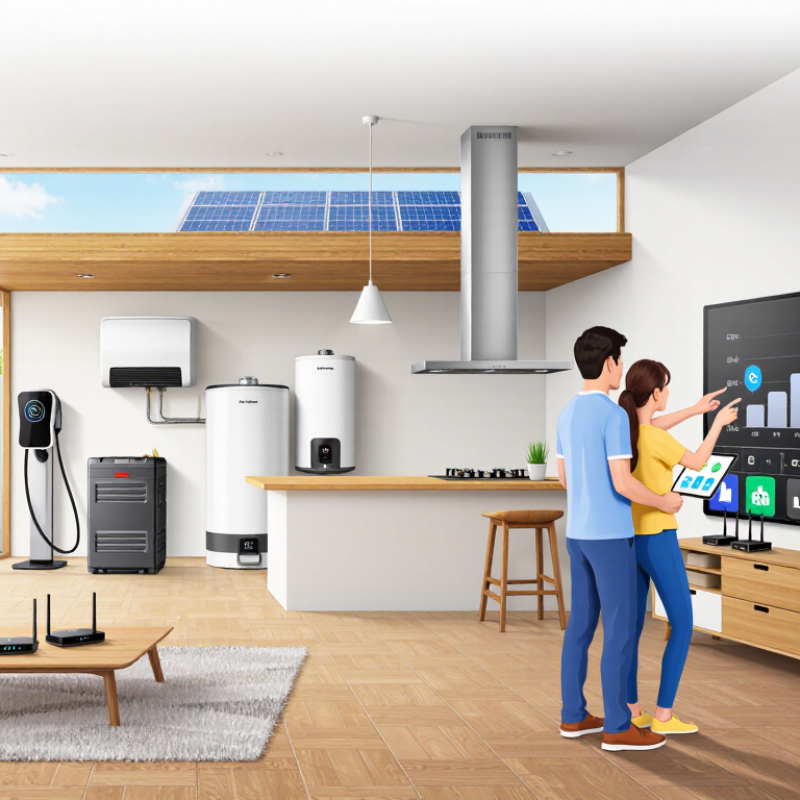
Choosing a home energy management system can feel simple until the quotes, devices, and energy plans appear. One app promises control; another emphasizes savings, backup power, or solar integration. The right choice depends on your home, not the most polished dashboard. Small details matter. Consider your electrical panel, existing equipment, internet reliability, and daily routines. A system that cannot communicate with your inverter or charger may offer limited value.

Before comparing features, list what you want to manage: heating, cooling, water heating, solar, batteries, or electric vehicle charging. Some households need clear usage data; others want automated schedules that respond to changing electricity rates. Check device compatibility carefully, including supported brands, communication standards, and whether key functions require extra hardware. Ask how the system handles outages, data privacy, software updates, and service after installation. These questions are less exciting than sleek graphs, but they can prevent costly surprises.

Compare total installed cost, subscription fees, warranty terms, and potential savings using your actual bills. Savings depend on tariffs, weather, household habits, and equipment; estimates are not guarantees. If possible, ask a qualified installer to inspect your panel and confirm compatibility before purchase. Also verify whether your utility supports the features you plan to use. A good home energy management system should make decisions easier, not hide them behind jargon. Still, trade-offs are likely: one platform may offer stronger automation, while another supports more devices. This guide outlines practical questions for comparing options and spotting weak points. Choose a system that fits your home today and can adapt later.
How to Choose a Home Energy Management System?

Define Your Household’s Energy Management Needs

A useful home energy management system starts with a clear picture of your household’s needs. Start with the bill. Check monthly electricity use, peak-time charges, and seasonal changes; then note which rooms feel uncomfortable and when. The U.S. Energy Information Administration’s 2020 Residential Energy Consumption Survey identifies space heating as the largest household energy end use, at about 42%, with water heating near 18% and air conditioning around 9%. Those figures are national averages, not a diagnosis of your home.

Look at the equipment you actually use. A family with an electric vehicle may want scheduled charging, while a home with rooftop solar may prioritize matching daytime generation to laundry or water heating. Record when major appliances run for a week. That matters. A simple log can reveal that the dryer, not the refrigerator, drives your evening peak. Check whether your utility uses time-based rates, and whether the system can monitor the circuits that matter to you.

Set practical priorities before comparing features: lower bills, backup readiness, comfort, or clearer usage data. Renters may need plug-in monitoring rather than panel-level controls. Also check installation requirements, data privacy settings, and compatibility with existing equipment. My first guess about the biggest energy drain would be wrong without measurements. Leave room for that uncertainty; household habits change, and estimates are not proof.

Identify the System Components and Energy Sources to Monitor

A home energy management system is only useful when it measures the right things. Track whole-home electricity at the main meter, then add circuit-level monitoring for major loads such as heating, cooling, water heating, and an oven. The U.S. Energy Information Administration’s 2020 Residential Energy Consumption Survey (RECS) attributes 42% of household energy use to space heating. That makes heating a sensible place to look first. Measure gas or other fuel use separately if your home uses it; an electricity-only view can miss a large part of consumption.

Match the system to your energy sources. Monitor grid imports and exports, solar generation, battery charging and discharging, and electric-vehicle charging where applicable. Check that the system can read the meters, inverter, or utility data you already have. Some readings arrive late or at different intervals, so a tidy dashboard may still hide a real mismatch. Start small. Compare its readings with utility bills and a plug-in meter before acting on small differences.

Tips: Record a week of normal use, including a cold morning or a hot afternoon. Note which appliances run at the same time. If the system cannot separate a large load from general household use, consider adding a circuit sensor. Don’t monitor everything just because you can; extra detail can create noise, and the right setup may take a little adjustment.

How to Choose a Home Energy Management System? — Identify the System Components and Energy Sources to Monitor

Category Component or Energy Source What to Monitor Useful Data and Units Selection Considerations
Energy source Utility grid connection Electricity drawn from the grid and, where applicable, electricity sent back to it. Imported and exported energy (kWh); instantaneous power (kW); voltage (V); time-of-use period. Check whether the system can read the utility meter, accept meter data, or use compatible current sensors. Data availability and interval length vary by meter and utility.
Energy source Solar photovoltaic (PV) system Solar electricity production and its contribution to household use or grid export. Production (kWh); power output (kW); daily and monthly totals; inverter status. Confirm that the system can obtain data from the PV inverter or a separate meter. Check whether it can show both production and household consumption.
Energy storage Home battery Stored energy, charging, discharging, and backup operating status. State of charge (%); charge and discharge power (kW); energy charged or discharged (kWh); operating mode. Verify compatibility with the battery and inverter. Useful controls may include reserve settings and schedules, where supported.
System component Main electrical panel Whole-home electricity use and, with suitable sensors, selected circuit loads. Power (W or kW); energy use (kWh); circuit current (A); load trends by time of day. Check the required sensor type, panel space, installation requirements, and whether circuit-level monitoring is supported.
Major load Heating, ventilation, and air conditioning (HVAC) Heating and cooling operation, runtime, and related electricity use. Electrical energy (kWh); operating time; indoor temperature (°C or °F); setpoint and operating mode. Thermostat data can add context to energy readings. Control features depend on the HVAC equipment and thermostat compatibility.
Major load Electric vehicle (EV) charger Charging sessions, charging power, and electricity delivered to the vehicle. Session energy (kWh); charging power (kW); start and end time; charging status. Check whether the system can communicate with the charger or measure its dedicated circuit. Scheduling may depend on charger and vehicle capabilities.
Major load Electric water heater Water-heating energy use and, if available, heating cycles or temperature settings. Energy use (kWh); power (W or kW); operating time; water temperature where a compatible sensor is available. A circuit monitor can measure electricity use even when the heater has no connected data interface.
Major load Large appliances and other dedicated circuits Usage patterns for loads such as a range, clothes dryer, pool pump, or well pump. Energy use (kWh); power (W or kW); run time; estimated operating schedule. Prioritize loads with high energy use or flexible operating times. Measurements are more useful when circuits can be identified separately.
Fuel source Natural gas, propane, or heating oil Fuel consumption for heating, cooking, water heating, or backup generation, if applicable. Volume or quantity from the meter or delivery record; cost; usage by billing period. Many energy systems do not measure fuel directly. Check for supported meter inputs or plan to enter bills or readings manually.
System component Communications and data gateway Data exchange between meters, sensors, inverters, batteries, and the monitoring interface. Device connection status; last update time; communication method; data gaps. Check supported protocols, network requirements, local operation during internet outages, and how long historical data is retained.

Available measurements depend on the installed equipment, meter access, sensors, and local utility data. Confirm compatibility and installation requirements before choosing a system.

Check Compatibility With Your Home’s Devices and Utilities

Choosing a home energy management system starts with an inventory: note your heating equipment, water heater, solar inverter, battery, and major appliances. Check each device’s communication method, such as Wi-Fi, Zigbee, or a dedicated control interface. A system may list a device category as compatible but still lack support for your model or its specific functions. Small detail, big difference.

Tips: Before buying, compare model numbers against the system’s compatibility list. Ask whether it needs a separate hub, stable internet, or an installer. Confirm it can still control key devices if the connection drops. Compatibility should be verified, not assumed.

Check your utility setup, too. Does your home have a smart meter? Does your electricity plan use time-based rates, or does it charge one flat rate? The U.S. Energy Information Administration’s 2022 Form EIA-861 data reported about 119 million advanced meters, covering roughly 72% of U.S. electricity customers. That reach is substantial, but a smart meter alone does not guarantee live data access or dynamic pricing. Ask your utility which data and rate features are available, and whether a system can use them. It is easy to focus on the dashboard and overlook the tariff; I would check both before choosing.

How to Choose a Home Energy Management System? Check Compatibility With Your Home’s Devices and Utilities

Typical U.S. nominal voltage is one practical compatibility check. Confirm each device’s nameplate and control requirements before choosing a system.

Voltage alone does not confirm smart-control compatibility. Check supported device protocols and wiring, and verify that your utility offers a supported data or demand-response connection, such as Green Button or OpenADR.

Compare Control Features, Data Access, and Operating Costs

How to Choose a Home Energy Management System?
Compare Control Features, Data Access, and Operating Costs

A home energy management system should do more than display colorful charts. Check which devices it can control, such as heating, battery storage, or a water heater. Can it shift flexible loads away from expensive evening periods? Look for clear schedules, useful alerts, and a manual override. Keep control simple.

Data access matters just as much. Find out how often readings update and whether you can export them in a common format. A five-minute delay may be fine for tracking monthly use, but less helpful when checking why a heater switched on at noon. Confirm which household members can view or change settings, and how long historical data remains available. I would not assume every graph tells the whole story; sensor gaps can make a tidy chart misleading.

Compare the full operating cost, not only the purchase price. Include subscriptions, connectivity, installation, and possible maintenance. Then estimate savings using your actual bills and usage patterns, rather than an idealized example. Costs may change with tariffs and seasons. Some uncertainty remains. A system that saves a little energy but requires constant adjustment may not suit a busy household. Choose controls and data you will realistically use.

Evaluate Installation, Security, and Future Expansion Options

Choosing a home energy management system starts with the walls, wiring, and equipment already in place. Ask who will install it and whether the quote includes setup, testing, and follow-up support. An electrician may need to check the breaker panel, meter connection, and wireless signal before installation. A basement controller can lose connection behind concrete walls. Small details matter.

Security deserves more than a quick look at an app’s login screen. Check whether the system uses encrypted connections, offers two-factor authentication, and receives regular software updates. Ask what data it collects, where that data is stored, and whether you can remove installer access after setup. No connected device is risk-free. A system that stops receiving updates may become harder to trust, even if it works well today.

Think about future expansion before choosing a system. You might add a battery, rooftop solar, an electric vehicle charger, or a heat pump later. Confirm that the controller can communicate with those devices and has enough capacity for planned additions. Compatibility can depend on specific equipment, so request written details rather than relying on a vague promise. I would not assume every upgrade will work seamlessly; standards and product features change. Leave space in the electrical panel, and ask what an expansion would cost before the walls are closed.